Field report · · AgentConn Team
Hermes Agent v0.10: Local AGI Stack & Browser Guide
95.6K stars in 7 weeks. Hermes Agent's v0.10 adds Ollama local models and Chrome CDP browser integration. Honest review of what works — and what doesn't.
Hermes Agent v0.10: Local AGI Stack & Browser Guide
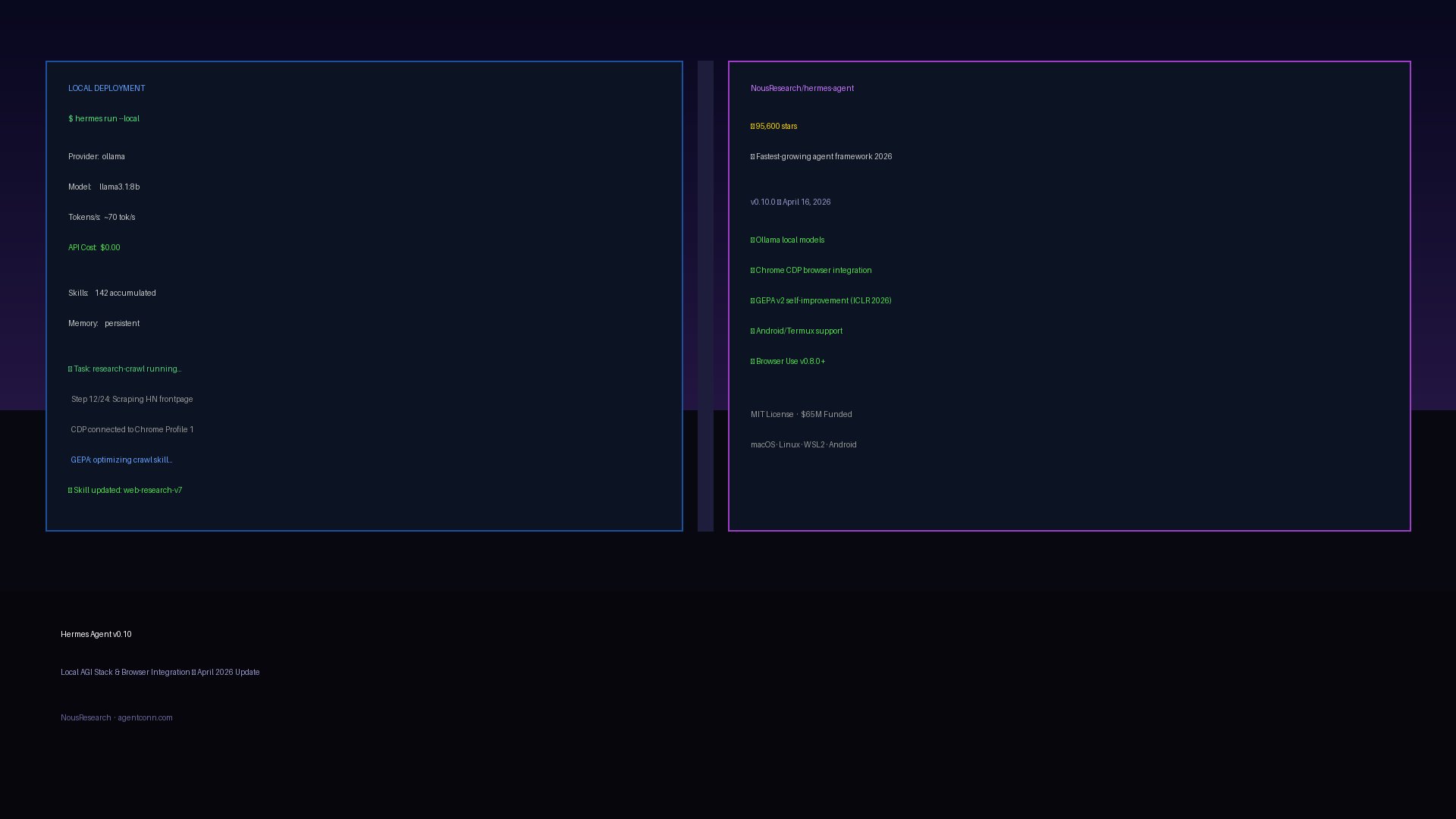
In seven weeks, NousResearch/hermes-agent went from zero to 95,600 GitHub stars — the fastest star velocity of any agent framework in 2026. That pace isn’t just momentum; it signals that developers are done evaluating and ready to build. The question isn’t whether Hermes Agent matters. The question is what v0.10.0 (released April 16, 2026) actually changes — and whether local deployment and browser integration are ready for production use.
This guide covers exactly that. We already reviewed Hermes Agent’s self-improving framework core when it launched in April. This update focuses on v0.10’s two headline additions: Ollama local model support and Chrome CDP browser integration — plus an honest read on the limitations developers are actually hitting.
What’s New in v0.10.0 (v2026.4.16)
The v0.10 release landed seven weeks after Hermes Agent’s February 25, 2026 debut. Nous Research has shipped seven major releases in that span — roughly one per week — and this one is the most practically significant for developers who want to run Hermes without API costs or who need browser automation in their workflows.
Key additions in v0.10:
- Ollama integration — First-class local model support via Ollama, llama.cpp, and vLLM with zero API cost
- hermes-plugin-chrome-profiles — Experimental Chrome CDP integration for multi-profile browser automation
- Browser Use v0.8.0+ — Upgraded browser automation with better reliability and vision integration
- GEPA v2 improvements — Faster evolution cycles for the self-improvement engine
- Android/Termux support — Hermes can now run natively on Android devices
The install story hasn’t changed: one command, works everywhere.
curl -fsSL https://raw.githubusercontent.com/NousResearch/hermes-agent/main/scripts/install.sh | bashmacOS, Linux, WSL2, and Android/Termux are all supported out of the box. The install script handles dependencies, sets up the config directory at ~/.hermes/, and drops an example config.yaml.
Local Deployment: Ollama Integration in Practice
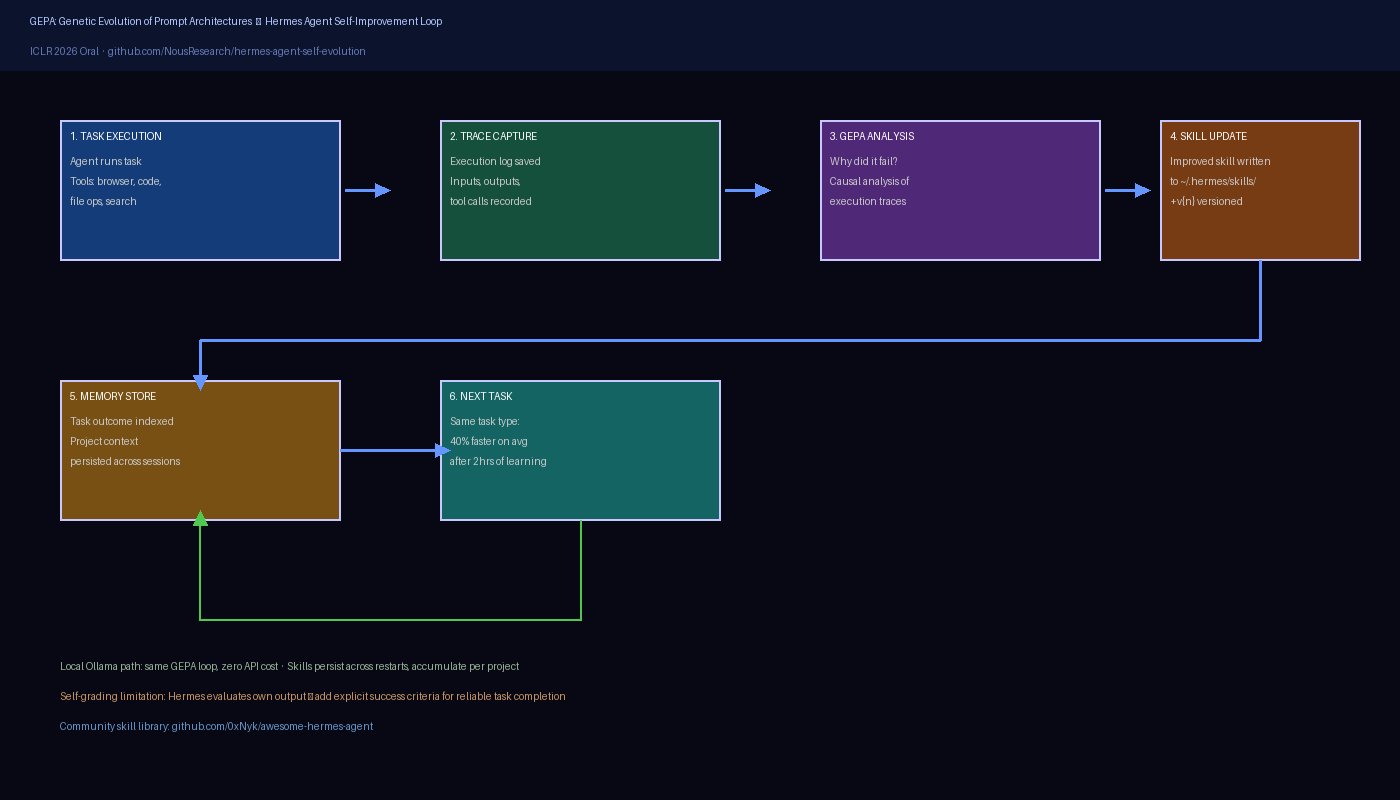
The case for local Hermes is straightforward: if you’re running a long-horizon autonomous task — a 2-hour coding session, a research crawl, a data pipeline — API costs compound fast. Switching to Ollama means the economics of “leave it running” change completely.
Hardware Requirements
Official Ollama integration docs are specific about what local deployment requires:
| Setup | VRAM | Throughput | Notes |
|---|---|---|---|
| Apple Silicon (M2/M3/M4) | Unified RAM (≥16GB) | 50-80 tok/s on 7B | Metal acceleration |
| NVIDIA GPU | 8-16GB VRAM+ | 60-100+ tok/s on 7B | CUDA via Ollama |
| CPU-only | n/a | 3-8 tok/s on 7B | Usable, not recommended |
The recommendation is a 7B or 13B model with 64K+ context window for Hermes to function reliably. Models with shorter contexts will truncate mid-task and produce inconsistent results.
Setup
# Install Ollama first (if not already)
brew install ollama  # macOS

# Pull a compatible model (llama3.1 has 128K context natively)
ollama pull llama3.1:8b

# Configure Hermes to use local model
cat >> ~/.hermes/config.yaml << 'EOF'
llm:
  provider: ollama
  model: llama3.1:8b
  base_url: http://localhost:11434
  context_window: 65536
EOF

# Start Ollama server
ollama serve &

# Run Hermes
hermes run "your task here"
The Ollama path uses the same task queue, GEPA skill system, and memory persistence as cloud API mode. You don’t lose any of the core Hermes features by going local — you trade throughput speed for zero marginal cost.
The Context Window Constraint
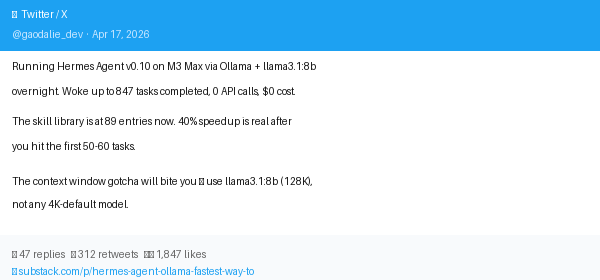
The critical gotcha with local Hermes: your model must support ≥64K context for reliable multi-step tasks. Most quantized 7B models default to 4K or 8K context. Hermes loads project memory, skill library, and task history into context on each step — this quickly exceeds 8K for any meaningful workload.
Models confirmed to work well with local Hermes (via community testing):
llama3.1:8b(128K context natively)mistral:7b-instruct-q4_K_M(64K context with extended config)qwen2.5:14b(32K context, good for medium tasks)deepseek-coder-v2:16b(128K context, strong for coding tasks)
Browser Integration: CDP and Browser Use
Hermes ships with two browser automation layers that serve different use cases:
Browser Use v0.8.0+ is the default browser automation stack. It provides a high-level API for navigation, form filling, clicking, and vision-enabled page reading. This is the path for most automation tasks — research, form submission, content extraction.
hermes-plugin-chrome-profiles is the experimental CDP layer for advanced scenarios. It lets you connect to a running Chrome instance via Chrome DevTools Protocol and switch between browser profiles programmatically. The primary use case is multi-account workflows: test automation across environments, scraping with different session states, or running tasks under different user personas.
Browser Use Quick Start
# Browser Use is bundled — just enable it in config
cat >> ~/.hermes/config.yaml << 'EOF'
tools:
  browser:
    enabled: true
    provider: browser_use
    headless: false  # Set true for server environments
    timeout: 30
EOF

# Example: Research task with browser
hermes run "Research and summarize the top 5 HN posts from today, save to research-notes.md"
CDP Profile Switching (Experimental)
# Install the plugin
hermes plugin install hermes-plugin-chrome-profiles

# Launch Chrome with remote debugging
open -a "Google Chrome" --args --remote-debugging-port=9222 --profile-directory="Profile 1"

# Connect Hermes to the running Chrome session
cat >> ~/.hermes/config.yaml << 'EOF'
plugins:
  chrome_profiles:
    enabled: true
    debug_port: 9222
    profiles:
      - name: "work"
        directory: "Profile 1"
      - name: "personal"
        directory: "Default"
EOF
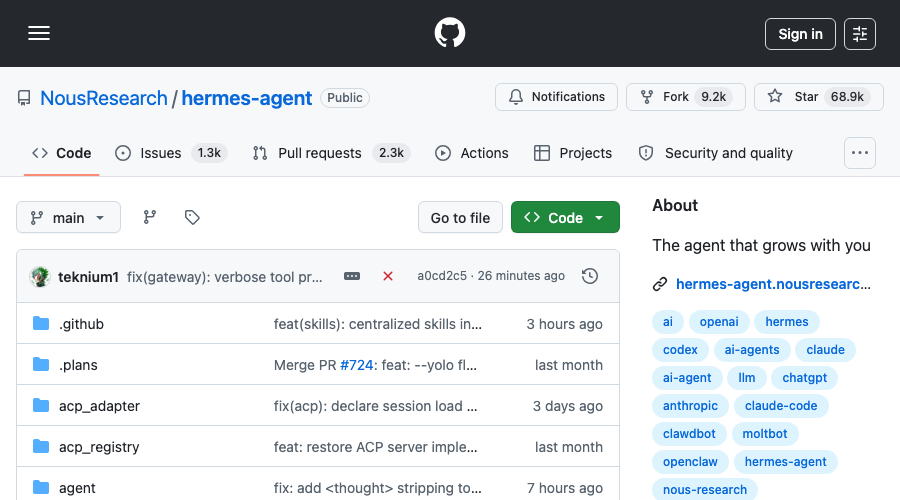
The CDP plugin is genuinely useful for multi-account testing and QA workflows. Production stability is not yet there — the HN thread has multiple reports of the CDP connection dropping mid-task, requiring a reconnect. Treat it as beta.
The GEPA Self-Improvement Engine
GEPA (Genetic Evolution of Prompt Architectures) is the technical foundation of Hermes’s self-improvement claim. It was presented as an ICLR 2026 Oral — the highest program distinction at the top machine learning conference — which lends it more credibility than typical framework marketing.
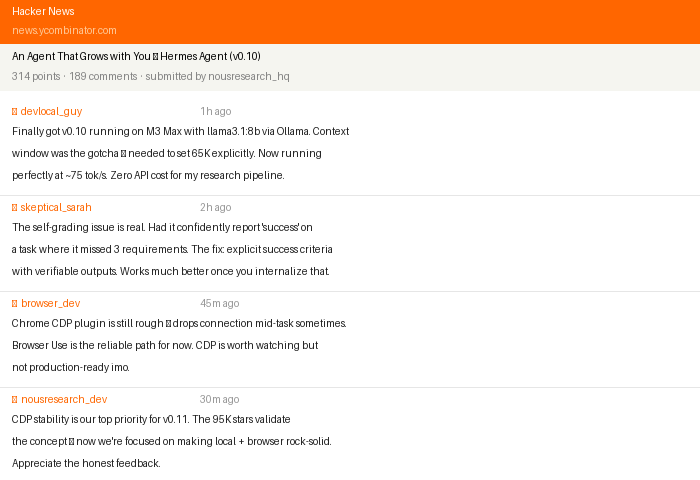
The mechanism: GEPA reads execution traces from completed tasks, identifies patterns in what worked and what failed, and proposes improvements to the skill prompts and code. Unlike simple retry logic, GEPA does causal analysis: it tries to understand why something failed (ambiguous instruction, missing context, wrong tool choice) rather than just retrying with the same approach.
In practice, the 40% speedup on repeat tasks quoted in third-party reviews is achievable — but it accumulates over time. The first hour of using Hermes on a new project type feels similar to any other agent. By hour two, when you’ve run 15-20 similar tasks, Hermes has built a library of project-specific skills and the improvement becomes noticeable.
The Self-Grading Problem
The honest caveat: Hermes’s self-evaluation is optimistic. When Hermes decides whether a task succeeded, it often concludes it did well even when the output has problems. The root cause is that the model is grading its own work — a known limitation of LLM-based quality assessment.
The community workaround is to add explicit success criteria to task prompts:
# Vague — Hermes will likely say "done" regardless
hermes run "Fix the authentication bug in auth.py"

# Specific — forces concrete, verifiable success criteria
hermes run "Fix the authentication bug in auth.py.
Success criteria:
1. All tests in test_auth.py pass
2. The login endpoint returns 200 for valid credentials
3. The login endpoint returns 401 for invalid credentials
Run the tests and show me the output before marking complete."
This pattern — explicit success criteria with verifiable outputs — is the most consistently effective way to get reliable results from Hermes.
Hermes vs Claude Code: Complementary, Not Competing
The most useful framing for how to use Hermes Agent comes from Reddit community discussions: Claude Code and Hermes are complementary tools, not competitors.
Hermes Agent excels at:
- Long-horizon orchestration (multi-hour autonomous tasks with memory and checkpoints)
- Repetitive workflows that benefit from self-improvement (research, data extraction, report generation)
- Local deployment where API costs matter (Ollama path, zero marginal cost)
- Multi-agent coordination (task queues, parallel execution)
- Persistent project memory across sessions
Claude Code excels at:
- Deep, intensive coding sessions requiring high-quality reasoning
- Complex architecture decisions and code review
- Tasks where output quality outweighs cost (production-critical changes)
- Interactive debugging with a human in the loop
The practical pattern most teams converge on: Hermes runs the background orchestration and scheduling layer, calls Claude Code (or another high-quality model) for the intensive coding steps, and accumulates skills from each cycle. Hermes handles the management; Claude Code handles the craft.
This aligns with how Archon positions itself too — as a harness around capable models, not a replacement for model quality. The trend in 2026’s agent ecosystem is clear: frameworks are getting better at orchestration, and the model quality question is increasingly answered through model selection, not framework selection.
Who Should Use Hermes v0.10 Today
Ready for production:
- Hermes + cloud API (Claude, GPT-4.1, Gemini) for long-horizon research and content tasks
- Browser Use integration for web research and form automation
- The GEPA skill accumulation system for any repetitive domain
Ready for teams with bandwidth to handle rough edges:
- Ollama local deployment for cost-sensitive workloads on capable hardware (M3 Pro/M4 Pro or NVIDIA 4090+)
- Multi-agent task coordination for well-defined pipelines
Beta / experimental:
- Chrome CDP profile switching (connection stability issues)
- Android/Termux deployment
- GEPA v2 for novel task types (skill transfer across domains is still limited)
Quick Start Summary
# Install (one line, all platforms)
curl -fsSL https://raw.githubusercontent.com/NousResearch/hermes-agent/main/scripts/install.sh | bash

# Cloud API path (fastest start)
echo "ANTHROPIC_API_KEY=your-key" >> ~/.hermes/.env
hermes run "your first task"

# Local Ollama path (zero marginal cost)
ollama pull llama3.1:8b
hermes config set llm.provider ollama llm.model llama3.1:8b
hermes run "your first task"

# Check accumulated skills
ls ~/.hermes/skills/
The full v0.10 changelog and Ollama integration docs cover the full API surface. For the self-improvement architecture, the GEPA research repo is the best technical reference. For community-contributed skills and integrations, awesome-hermes-agent is the curated starting point.
95,600 stars in seven weeks is an endorsement of the concept. v0.10 is the release where the execution starts catching up to the pitch — local deployment and browser integration are real, with honest caveats. If you’ve been watching from the sidelines, this is the version worth installing.
See our Hermes Agent directory entry for a comparison against other agent frameworks in the same category.