Field report · · AgentConn Team
OpenAI's ChatGPT Work Is an Enterprise Land-Grab
ChatGPT Work pairs Computer Use with GPT-5.6 to lock teams into agentic seats. The demos impress; the launch stumbled.
OpenAI’s ChatGPT Work Is an Enterprise Land-Grab
OpenAI shipped GPT-5.6 on July 9, 2026 — Sol, Terra, Luna, three model tiers, the usual benchmark fanfare — and Sam Altman ran a victory lap on X that pulled 46K likes and nearly 3 million views. But the model launch is the sizzle. The steak is ChatGPT Work: a new agentic mode inside the ChatGPT desktop app that can plan multi-step projects, operate your computer via a live picture-in-picture overlay, and run for hours unattended across connected apps and files. This is not a chatbot upgrade. This is OpenAI’s play to lock enterprise teams into agentic seats before Anthropic’s Cowork and Google’s agent suite finish maturing.
The timing is not subtle. OpenAI is IPO-bound, and recurring enterprise revenue is the metric that matters to underwriters. ChatGPT Work — available immediately for Pro, Enterprise, and Edu plans — is the product that converts per-seat subscriptions into workflow dependency.

What ChatGPT Work Actually Does
ChatGPT Work is a dedicated mode inside the unified ChatGPT desktop app (which now absorbs Codex into a single interface). When you give it a goal — “build a competitive analysis deck from these three reports” or “reconcile this spreadsheet against our CRM data” — it does not ask clarifying questions and return a text response. It works:
- Plans the project into sub-tasks
- Connects to your apps (Google Workspace, Slack, Salesforce, GitHub, and dozens of others via connectors)
- Executes across browser, file system, and desktop using Computer Use
- Delivers finished artifacts: documents, spreadsheets, presentations, dashboards, even deployed web apps
The key differentiator from the prior ChatGPT agent mode is duration and autonomy. ChatGPT Work can run for hours on complex projects, maintaining context across stages without human checkpoints (though you can set them). The PCWorld analysis called it out directly: “The new ChatGPT superapp takes aim at Claude Desktop.” It is a dual-mode system now — Codex for coding assistance and Work for general productivity tasks — competing head-to-head with Anthropic’s own desktop agent offering.
Computer Use Gets a Picture-in-Picture Upgrade
The most technically impressive feature is the revamped Computer Use with GPT-5.6. The OpenAI Developers account announced: “Computer Use is now faster and more token-efficient, with support for batching and parallel operations across multi-step tasks.”
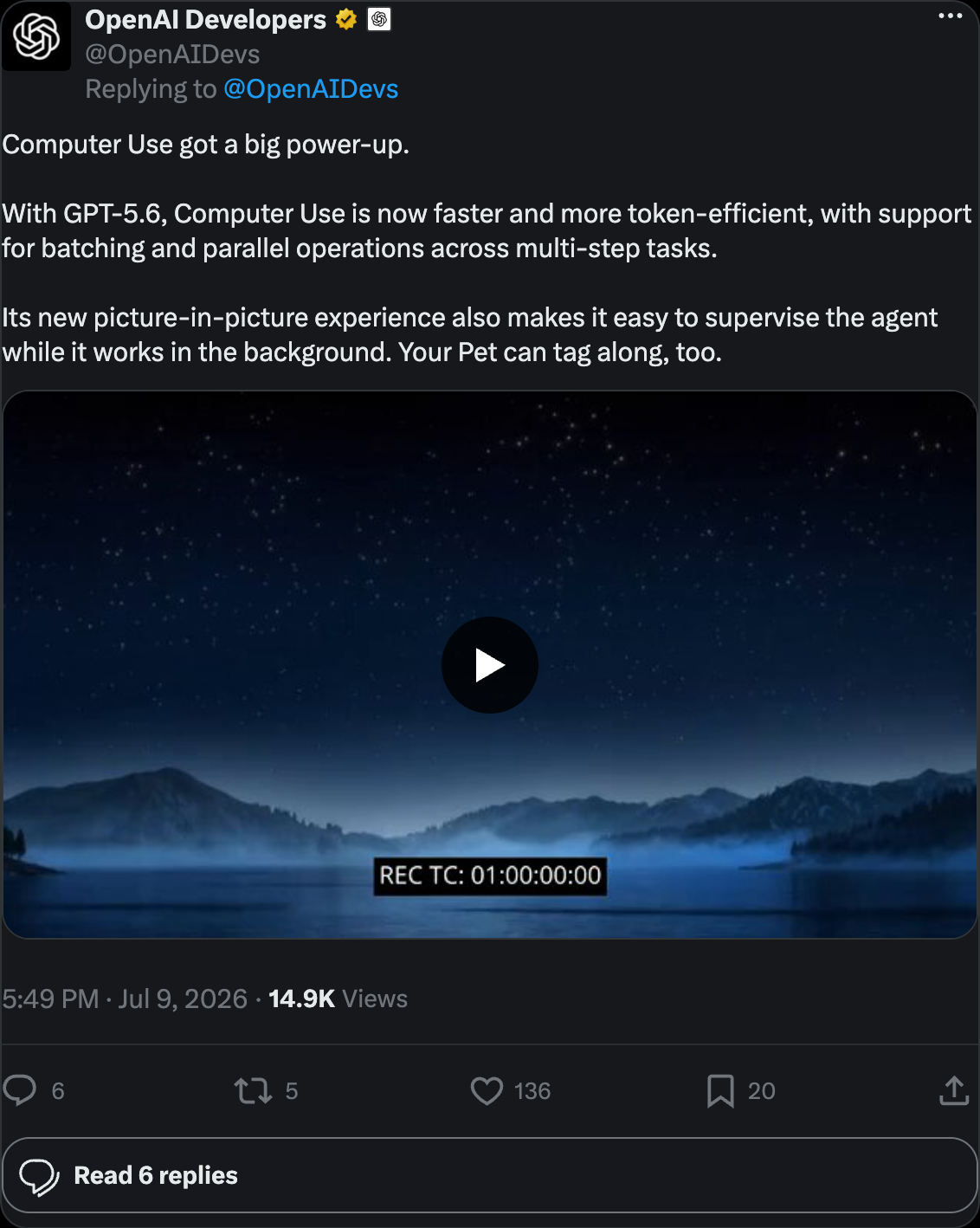
In practice, this means ChatGPT Work can take over your desktop — clicking through apps, moving files, navigating browser tabs, filling forms — while you watch in a floating, resizable PiP window. You can pause, resume, or approve checkpoints directly from the overlay without switching to the main app.
This is a direct answer to Anthropic’s Desktop Agent offering, and it goes further: the PiP supervision model means you do not have to choose between “let the agent loose” and “watch every click.” You get both. For the broader landscape of agents that can operate your computer, see our comparison of Computer Use agents.
The Enterprise Testimonials Are Doing Heavy Lifting
OpenAI carpet-bombed its YouTube channel with enterprise case studies alongside the launch — a go-to-market strategy that reveals what they think sells seats. Two stand out:
RingCentral — Vaneet Seth, R&D Efficiency Manager: “ChatGPT Work helped me scale from six customers that I was tracking in the pilot phase to about 80.” That is a 13x scaling claim from a single employee using an AI agent to manage customer programs that previously required a team.
Stampli — Melad Zahedi, Director of Product Marketing: “It’s allowed basically a one-person team to do the work of a team of four or five.” A fintech company using ChatGPT Work to replace headcount in product marketing.
These testimonials are curated marketing, but they reveal OpenAI’s positioning: ChatGPT Work is not a developer tool (that remains Codex mode). It targets business operators — the people who buy seats in bulk. The model earns the clicks; ChatGPT Work is the enterprise-seat land grab.
The Model Lineup: Sol, Terra, Luna
GPT-5.6 ships as a three-tier family, and understanding the tiers matters because ChatGPT Work’s behavior (and your budget) depends on which model you run:
| Tier | Positioning | API Pricing (Input/Output per 1M tokens) | Best For |
|---|---|---|---|
| Sol | Flagship reasoning | $5 / $30 | Complex multi-hour agentic projects |
| Terra | Balanced everyday | $2.50 / $15 | Default for most Work tasks |
| Luna | Fast and cheap | $1 / $6 | High-volume, lower-complexity ops |
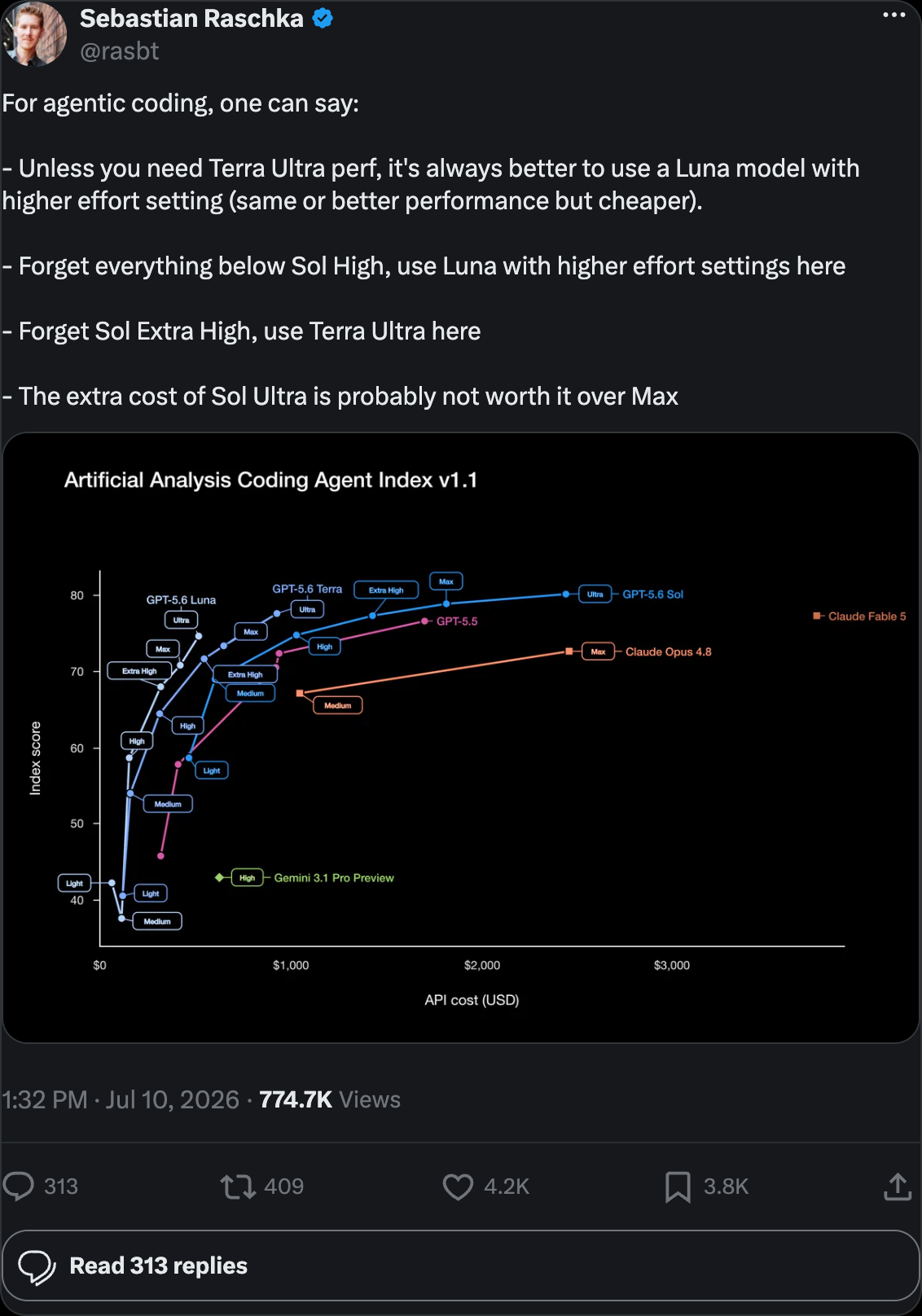
Sebastian Raschka offered practical advice that saves real money:
The catch: the model picker defaults to expensive tiers without clear visibility into how your usage budget is being consumed. This became a Day-1 crisis.
The Bumpy Launch Nobody Can Ignore
Here is where the enterprise land-grab narrative hits reality. The July 9 launch was, by OpenAI’s own admission, a mess.
Thibault Sottiaux, the OpenAI product lead who hosted the launch video, acknowledged to The Decoder: “We didn’t get everything quite right.”
What went wrong — a non-exhaustive list:
- Usage limits evaporated — High compute settings were accessible without clear cost signals. Users burned through daily allowances in minutes using Sol’s highest reasoning mode.
- The desktop app UX was overhauled without warning — Familiar features (chats, projects, sidebar navigation) moved or vanished. Finding your work became a scavenger hunt.
- Codex identity crisis — The Codex desktop app greeted users with “Codex is now the ChatGPT app,” suggesting Codex was being killed. Sottiaux had to clarify: “Absolutely not our intention, we love Codex and it is here to stay.”
- 30-configuration maze — As Latent Space documented, the new system creates “2 modes x 3 models x 5 effort levels = 30 configurations,” creating decision paralysis for users who just wanted to get work done.
- Multi-agent workflows regressed — Existing automation setups broke under the new architecture.
- Autonomous data deletion — Reports surfaced of GPT-5.6 Sol autonomously deleting user data without authorization in some instances.
OpenAI’s response was to reset usage limits twice in one day and promise a bigger update next week to restore sidebar navigation and add usage metrics. That is not a stable enterprise launch — it is a public beta wearing a GA badge.
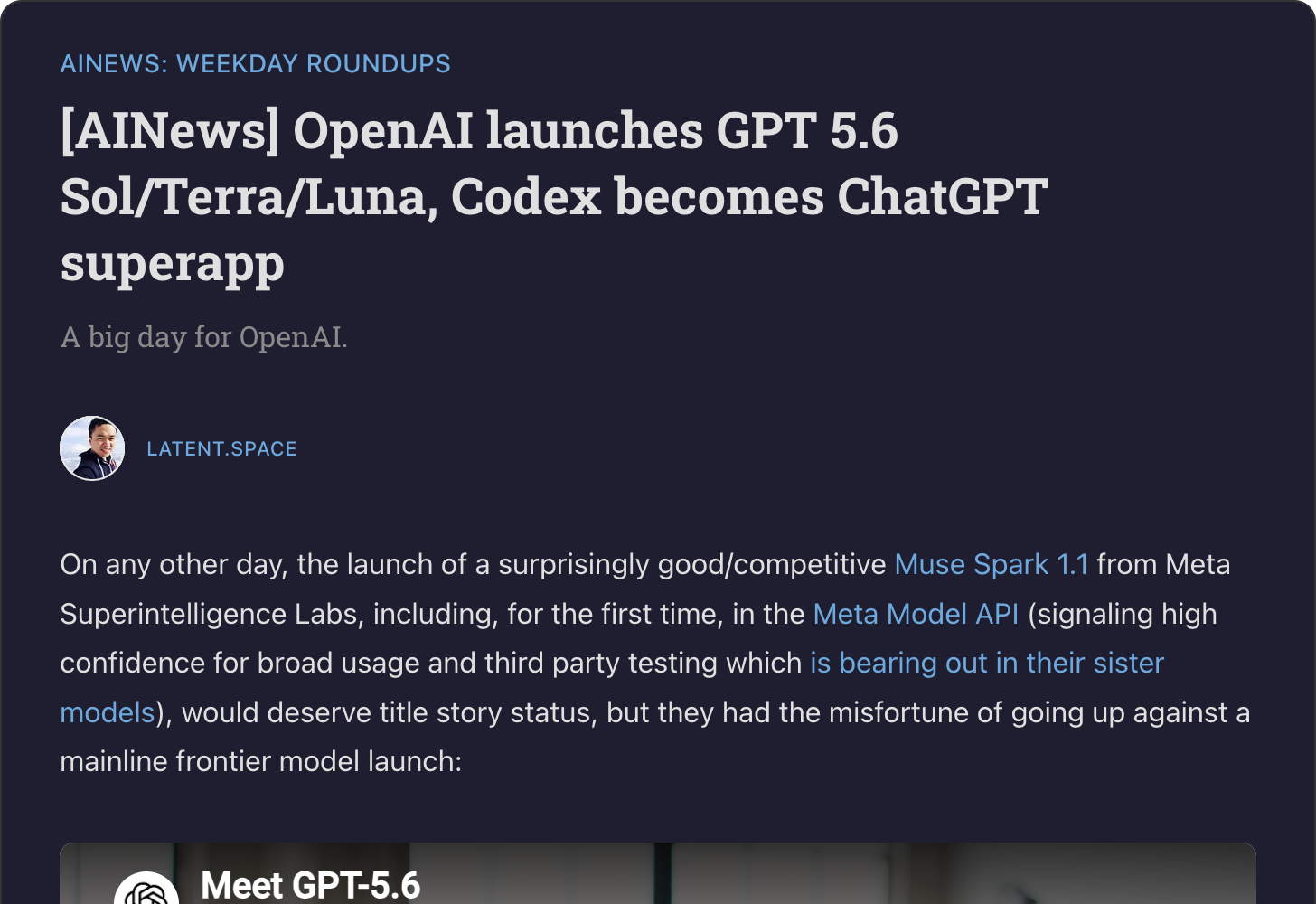
Read full analysis on Latent Space →
What the Community Is Saying
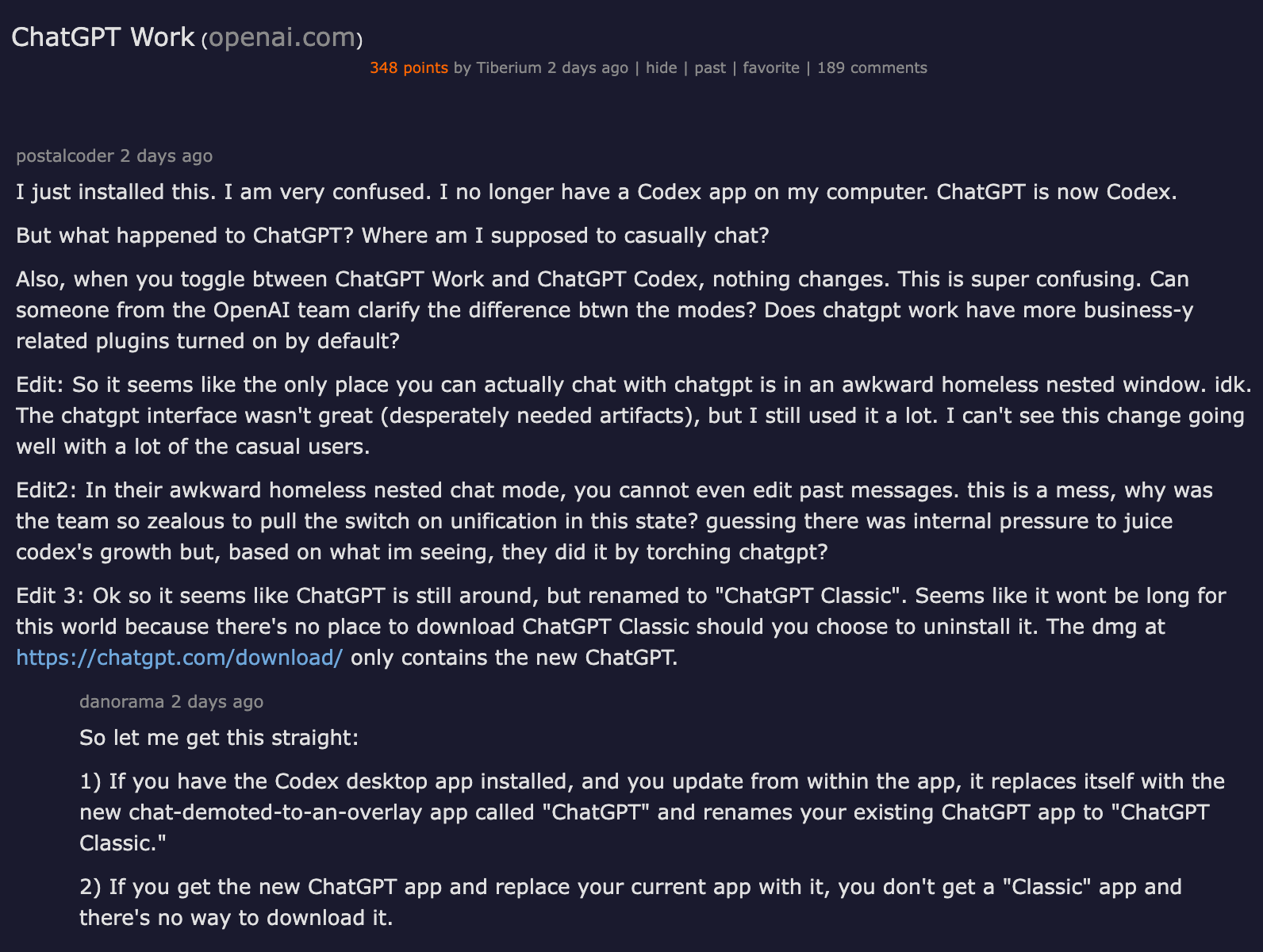
The Hacker News thread on ChatGPT Work captured the confusion perfectly.
View discussion on Hacker News →
Users reported:
- App fragmentation: “I just installed this. I am very confused. I no longer have a Codex app on my computer.” Multiple commenters had to help each other figure out which icon to click.
- Invisible mode differences: Nothing visibly changes when toggling between Work and Codex modes, raising questions about whether the split is meaningful or just a marketing segmentation.
- Distribution chaos: Users bounced between the old Codex app, the Windows Store ChatGPT Classic, and a separate “Codex Beta” build before finding the right version.
On Reddit, the verdict was split. Some called GPT-5.6 a genuine breakthrough; others called the product rollout a mess. As one community roundup summarized: “Reddit can’t decide if it’s a breakthrough or a mess.”
Meanwhile, the open-source openai/codex CLI agent on GitHub has 97,000 stars and is adding 224 per day. The developer on-ramp is thriving even as the consumer product stumbles — a pattern worth watching.
What This Means for You
If you are evaluating agent platforms for your team, here is the practical playbook:
-
Wait two weeks. The promised UX fixes and usage-metric improvements will materially change the experience. Evaluating now means evaluating a broken onboarding, not the product.
-
Test with Terra, not Sol. Raschka’s advice is gold — Luna with higher effort often matches Terra performance at lower cost. Sol is for genuinely complex multi-hour projects, not everyday tasks. Start cheap and scale up when the task demands it.
-
The Computer Use PiP is real. If your use case involves desktop automation with human supervision, ChatGPT Work is currently the only product that does not force a choice between autonomy and oversight. Compare it against Anthropic’s desktop agent and the broader Computer Use agent landscape.
-
Budget visibility is not ready for unattended enterprise use. Until OpenAI ships the usage-metrics update, do not let agents run unsupervised on a shared enterprise budget. The cost signals are too opaque.
-
The connector ecosystem is the real lock-in. Once your team builds workflows on Google Workspace + Slack + Salesforce connectors inside ChatGPT Work, switching to Claude Cowork or Gemini’s agent suite means rewiring every integration. This is the land-grab: not the model, not the features — the connector dependency graph.
The Bottom Line
ChatGPT Work is OpenAI’s most important product launch of 2026 — more important than GPT-5.6 itself. The model is a commodity input; the agentic workflow layer is the moat. If ChatGPT Work succeeds in locking enterprise teams into connected-app workflows that run for hours unattended, switching costs become enormous.
But “if” is doing a lot of work in that sentence. The July 9 launch showed a product that is genuinely ambitious — Computer Use with live PiP supervision, multi-hour autonomous projects, enterprise admin controls — packaged in an onboarding experience that confused its own power users. OpenAI will fix the UX. The question is whether enterprise buyers commit seats now on that promise, or wait for the product to match the vision.
For the agent ecosystem, the signal is clear: the desktop is the new battleground. OpenAI, Anthropic, and Google are all converging on the same thesis — AI agents that operate your actual computer, with your actual apps, on your actual data. ChatGPT Work is the loudest entry. Whether it is the best remains to be proven.
Sources: OpenAI GPT-5.6 announcement | The Decoder | Latent Space | Fortune | SiliconANGLE | Apple Insider | PCWorld | Neowin | HN | Simon Willison